
So as most of you know I work at Microsoft. So obviously I was extremely excited about the surface. And wanted one as soon as they came out. I stood in line just like anyone else to obtain one from our local Microsoft store. And could not wait to get it home and start playing with it. I have now had if for 2 weeks roughly but this was really my first week traveling with it and trying to use it as much as possible. I started out with the touch keyboard but really wanted to experience both keyboards so I could tell my customers the truth about how I felt about them as well as the surface.
So this week was to be my big test. I knew I had several flights to really test out the surface and the keyboards. My outbound itinerary called for a 1 ½ hour flight with a 1 hour layover and then another 3 hours and 55 min to my final destination. The flight back was similar in time and layover. So what this meant was is that I was not going to be able to recharge in between flights. I would have to hopefully rely on the surface battery life to make it basically 7-10 hours without a charge. And I wanted to use it as much as possible for that time. As well as I wanted to use both types of keyboards to see what was best for me and in what situation.
On the flights out I was able to use the touch keyboard and type 3 separate word documents without a lot of difficulty. I was not able to type as fast on the touch as I am on a regular keyboard and I did have a few more situations where it seemed that I was typing faster than word could keep up. This seemed to contribute to more mistakes. However I realized I was using the Word RT preview which was a little slow. But overall the key board work very well and for the average user that will type some small documents, reply to email and surf the web I think it is very functional. It will take some getting used to. But in my opinion it is the perfect choice for most people. It acts as a great cover and feels really good when you have it flipped up behind the Surface while using it in a more traditional tablet type function.
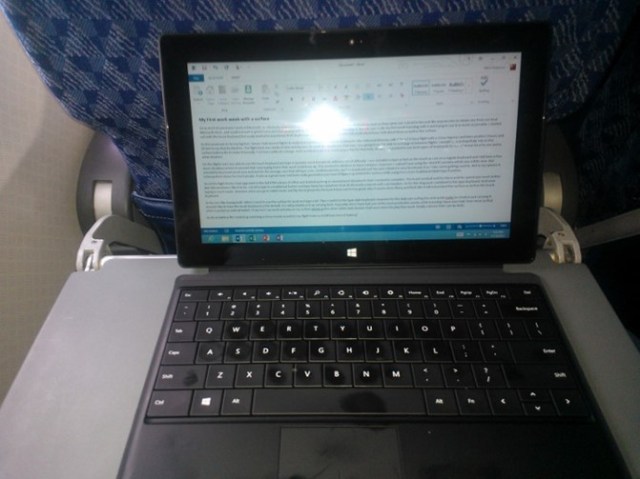
So on the flight home I had upgraded to the full RTM release of Office and started working on several word documents that I needed to complete. The touch worked well for them and the speed was much better. But still not where I like it to be. I tend to type in a traditional fashion and type fairly fast anywhere from 65-85 words a minute with out mistakes. So for this blog post I switched to the type keyboard. Typing is much easier. However when you go to tablet mode and flip the keyboard to the back it does not feel as good. Also it seems more flimsy and feels like it will not protect the surface as well as the touch keyboard.
So for me I like having both. When I need to use the surface for work and type a lot. Then I switch to the type style keyboard. However for the daily use surfing the web quick replies to email or just carrying it around I like to have the touch keyboard as the default. So I will probably end up carrying both. Especially since I have had one of the most productive weeks while traveling I have ever had. Even more so that when I carried an android tablet. I truly feel I can work and play on my surface where as the other tablet style devices I had were more for play than work. Finally a device that I can do both.
As far as battery life I ended up watching a 2 hour movie as well on my flight home and still have tons of battery I never really had to be concerned about battery life.

 Mitch's Blog